
01 / BRIEF
A view for the role
The Feed gives a coach, analyst, or player a relevant starting point. A briefing can surface a specific question, a trend, and the supporting context instead of an undifferentiated dashboard.
Clubhouse · Daily baseball intelligence
Clubhouse brings the briefing, game review, video, and analysis tools into one working environment for a baseball organization. It helps each role see the relevant context before a meeting, a practice, or a game.
Organization access is arranged directly with Keystone AI Inc.
Why Clubhouse
A game plan can depend on recent form, opponent tendencies, video, and the coach’s own judgment. When those pieces live in separate tools, valuable time goes into finding and reconciling them. Clubhouse puts a prioritized briefing next to the evidence and tools used to prepare.
01 / BRIEF
The Feed gives a coach, analyst, or player a relevant starting point. A briefing can surface a specific question, a trend, and the supporting context instead of an undifferentiated dashboard.
02 / REVIEW
Previews and reviews place the right comparison, performance measure, and available video near the explanation. Staff can move from the headline to the underlying play or split.
03 / EXPLORE
Lab tools let authorized users set baseball conditions and inspect the resulting tables and visualizations. The analysis remains tied to the organization’s data and agreed definitions.
Inside the product
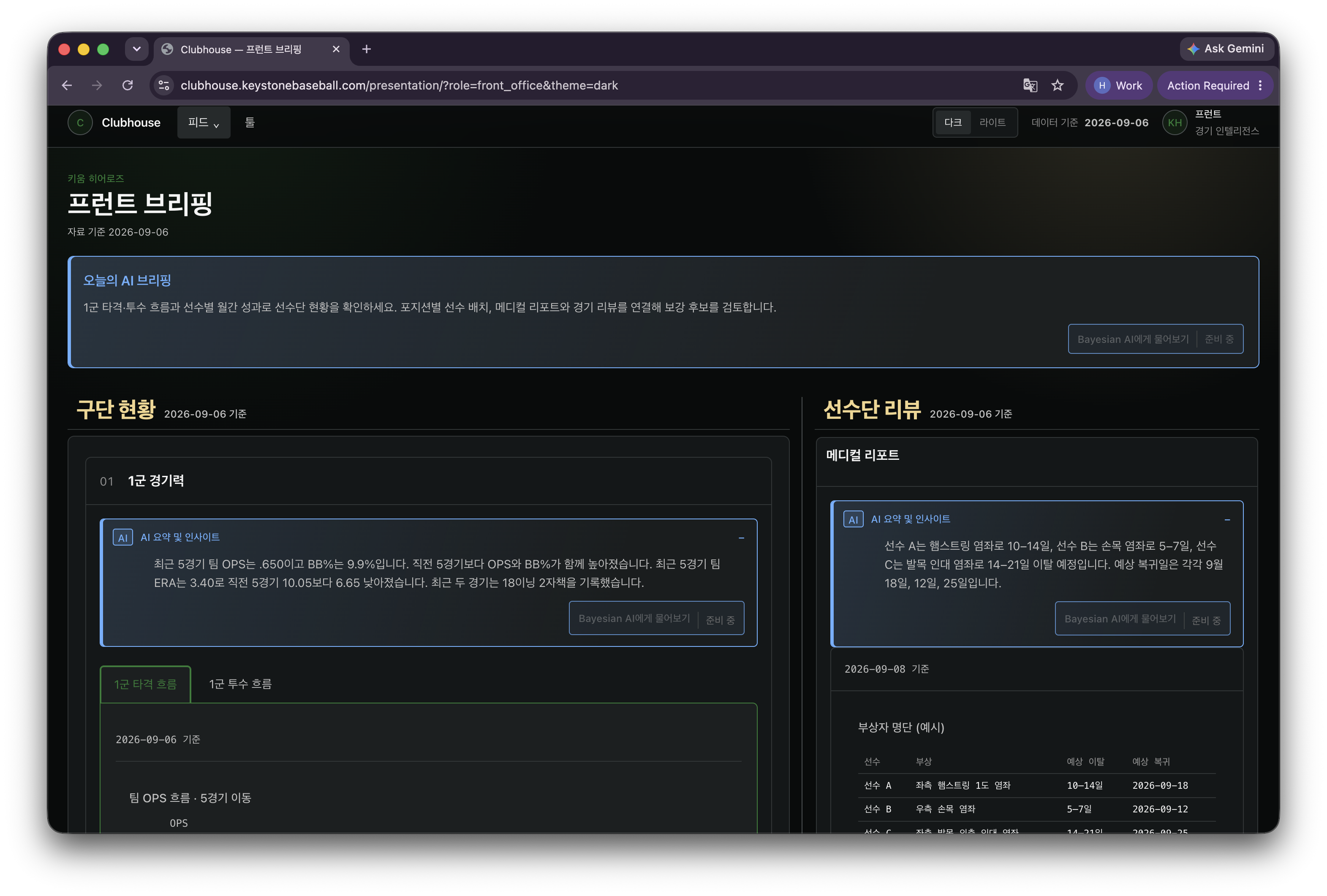
The front-office screen shown here opens with a concise AI briefing, then places a recent team-performance view beside a roster review. The sample roster entries illustrate how team context and follow-up work can share one briefing.
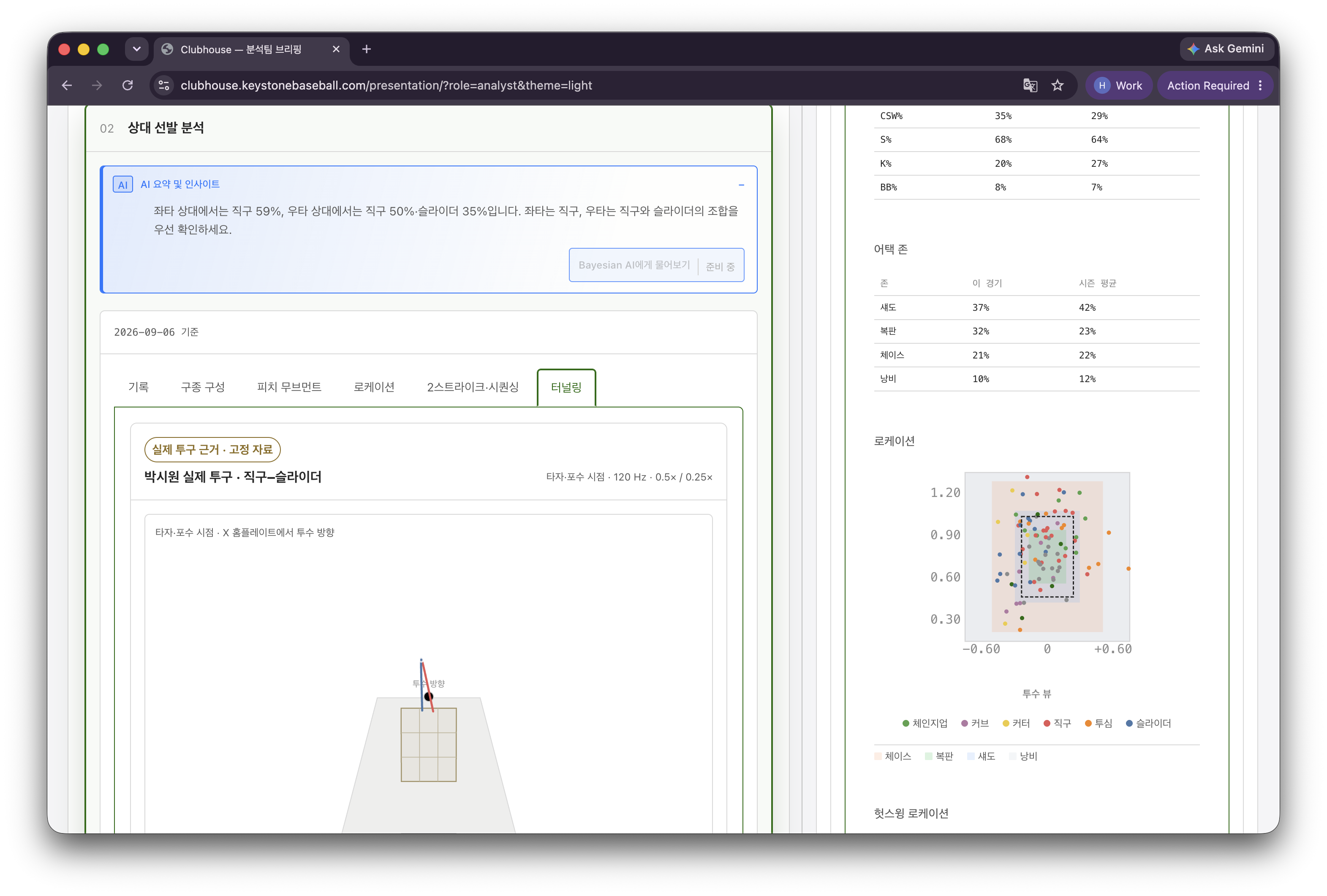
In an analyst briefing, an insight is paired with a detailed breakdown. The captured screen shows a pitch-location plot and the associated distribution by zone and pitch type. It is a working surface for checking why a summary matters.
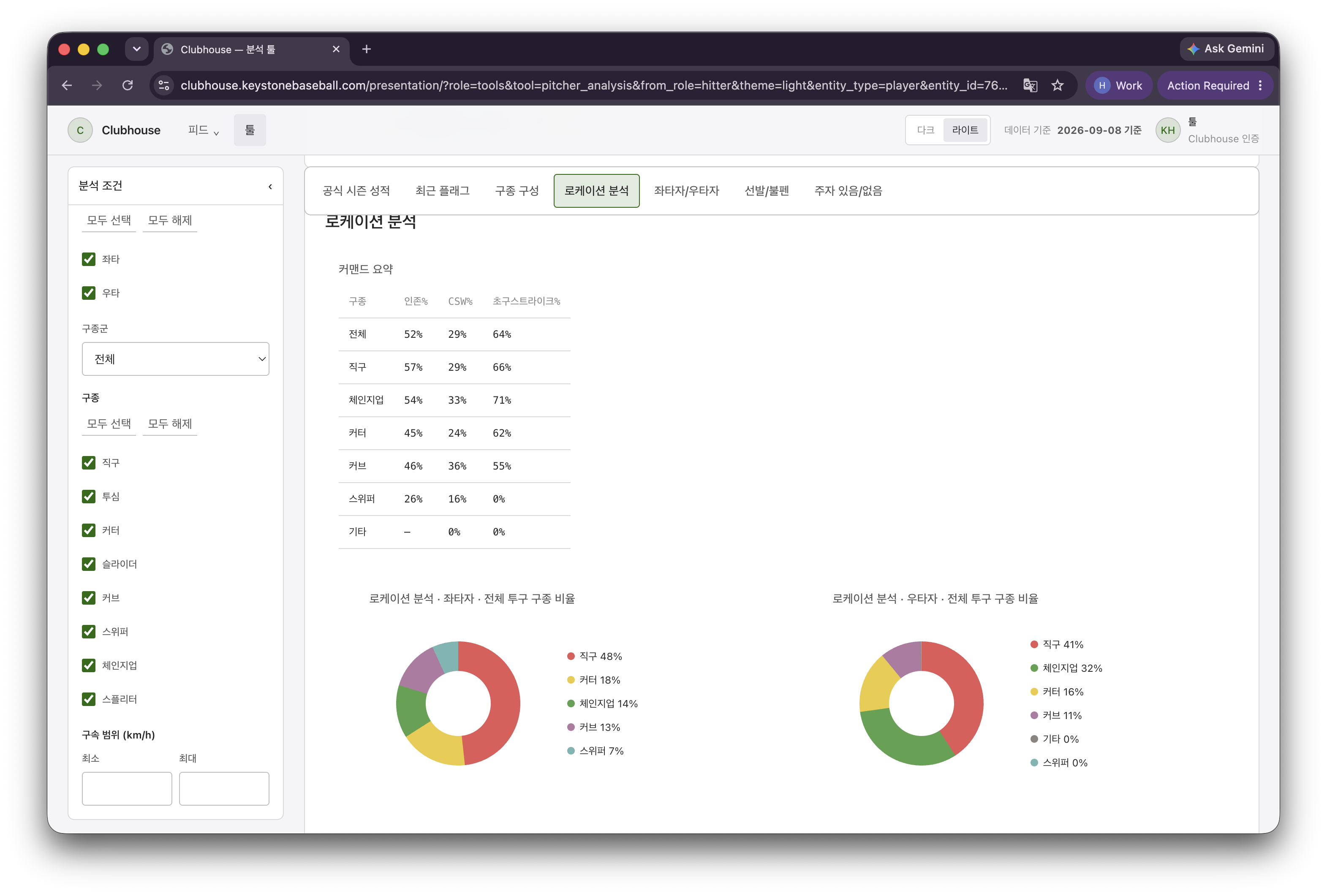
Lab is where a user can set analysis conditions and inspect an output directly. The captured location analysis tool includes handedness and pitch-type filters, summary values, and visual pitch-mix comparisons.
Clubhouse handles the proactive briefing and tool workflow. For an open-ended follow-up, Bayesian is the companion analysis workspace.
Where it fits
Start from a focused preview: the opponent, a relevant matchup, and the trend worth checking before the staff meeting.
Review the result with the associated context, numbers, and available video instead of reconstructing the story across separate systems.
Use Lab to set conditions, inspect splits and visuals, and move from a briefing point to a more precise investigation.
Give each authorized person a view suited to the work they do, while keeping the organization’s baseball information in a common environment.
For organizations
Clubhouse is sold through direct organization conversations. We will review your users, data sources, workflow, video needs, evaluation plan, and commercial scope before proposing an implementation.
Contact salesExisting authorized users can open Clubhouse.
Screens show a current product build; available data and features depend on the organization’s configuration.